


Thursday Night Music Battles
4.71.66K Reviews
App Specs
- Version
- 6.4
- Updated On
- License
- Free
- Downloads
- 1,000,000+
- Developer
- Trangpham
- Categories
- Music
- Platform
- Android
Screenshots
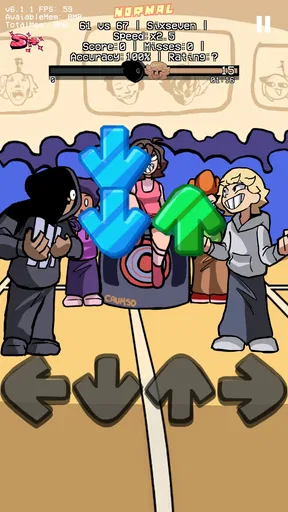
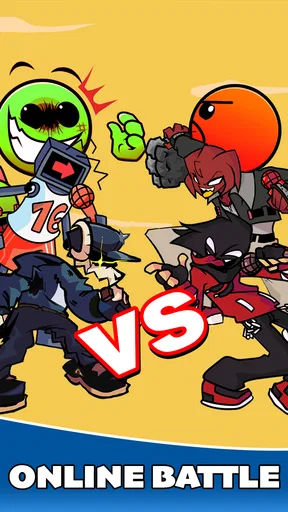
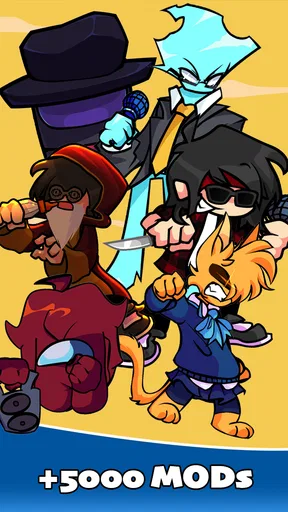
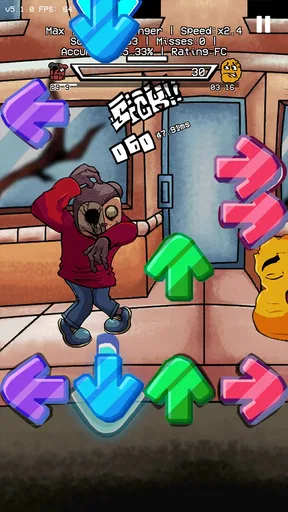
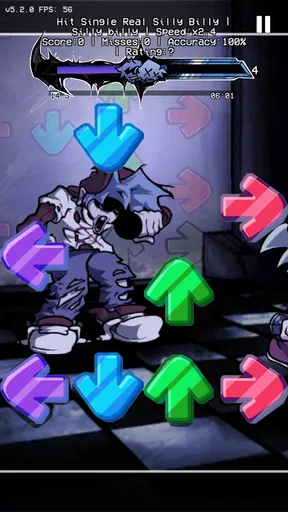
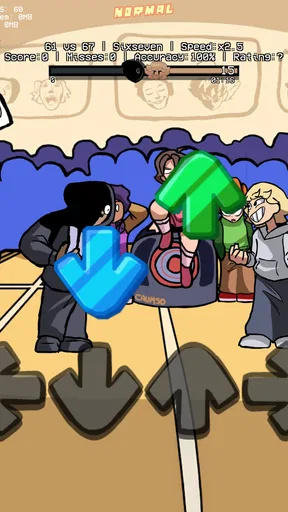
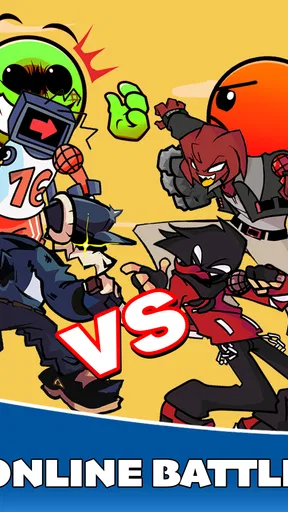
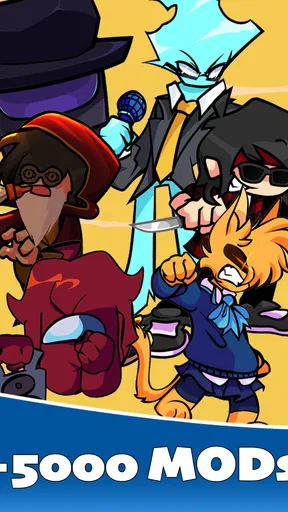
 Analysis by AppCompare
If you’re opening a music game for the first time, the main question is whether it gives you a satisfying first beat quickly or asks you to learn a pile of menus before anything happens. Thursday Night Music Battles is presented as a rhythm game with a playful battle theme, so I’d approach it expecting timing-focused play rather than a music library or a tool for making recordings. That distinction matters: it is for people who want to interact with music, not simply press play and listen.
What a first session is for
I’d start with a short session and treat it as a test of the game’s basic feel. Rhythm games are most enjoyable when the action is clear enough that you can focus on the beat, but still demanding enough to make a clean run feel earned. Give yourself a few attempts before deciding whether the pace suits you; a first miss can come from unfamiliarity rather than a poor fit.
The Thursday Night name and music-battle framing set a casual, energetic mood, while the game’s store summary also points to horror characters. That contrast gives the concept a distinctive hook: it is not just a conventional playlist-based rhythm experience. If you enjoy music games with a bit of theatrical opposition, that theme may be enough to make a quick break feel more lively than another round of a standard tapping game.
Getting ready without overthinking it
Before launching into a longer play session, I’d check that the device runs Android 7.0 or later and that there is enough room for an install and future updates. The game is free to download, though optional in-app purchases range from $0.99 to $99.99 per item. I’d keep that in mind from the start, especially if a younger player will use the device: the game carries a Teen age rating, and purchase settings are worth reviewing together.
There is no need to treat setup like a project. Start with the default experience, learn how the game responds, and only investigate extra options if a particular part feels unclear. That approach is useful in rhythm games because changing several settings at once makes it harder to tell whether a missed beat came from timing, a control choice, or simple unfamiliarity.
Finding the first satisfying run
For a first meaningful success, aim for consistency rather than a perfect result. Watch the rhythm cues, keep your hands relaxed, and focus on one short stretch at a time instead of trying to anticipate an entire song. If you miss a note, reset your attention on the next cue; dwelling on one mistake often causes a chain of them. A run where the timing starts to click is a better early sign than a high score achieved by luck.
One practical tip is to play somewhere you can hear the audio clearly and avoid switching between apps in the middle of a run. Rhythm depends on attention, and notifications or a noisy room can make the experience feel less fair than it is. If the beat seems out of step with your inputs, try another attempt in a quieter moment before judging the game’s responsiveness.
Worth Reading Before You Choose

Flipboard Shows What News Apps Must Do Beyond the Feed

Switching to Android Auto Means Rethinking Your Driving Routine

Google Calendar Makes a Crowded Week Easier to Manage

Ludo King Makes the Most of the Minutes Between Plans

Baby Panda World Brings Quick Play to Modern Phones, but Its Game Library Feels Busy

ESPN’s Live Game View Makes Following Close Games Easier
Understanding the game’s place in the category
Music games can mean very different things: some are built around tapping along to familiar tracks, some focus on arranging sounds, and others are little more than music players with a score attached. This one is best approached as a themed rhythm challenge. I would not choose it when I want to build a playlist, practice an instrument, or explore a catalog of artists; I would choose it when I want a focused game session with musical timing at its center.
That makes it a better fit for a quick evening break than for someone seeking a deep music-production sandbox. It may also suit players who enjoy a dramatic opponent or spooky character theme more than a clean, abstract rhythm interface. If you prefer minimal visuals, a large known-song catalog, or a quiet listening experience, a different music app will serve you better.
The Beat of the App
First things first, let's talk about what Thursday Night Music Battles is all about. Imagine a wild mashup of karaoke, DJ battles, and live-streamed concerts, all rolled into one. The app lets you compete in real-time music battles with players from around the globe. You can either choose to battle it out solo or team up with friends for a more collaborative jam session. It’s all about who can deliver the best beats, melodies, and rhythms to win over the virtual crowd.
Sleek Interface, Seamless Experience
One thing you'll notice right off the bat is the app’s sleek and intuitive interface. It’s as if the developers took a few notes from the best design playbooks out there. After a quick download and sign-up process, I was greeted with a vibrant dashboard that was easy to navigate. No clunky menus or confusing icons here! Whether you’re a tech whiz or a casual user, you’ll find everything you need at your fingertips.
Engage with a Vibrant Community
What makes this app truly stand out is its vibrant community. You’re not just going up against faceless opponents; you’re engaging with real people who share your love for music. The app features a nifty chat function, allowing you to connect with fellow music enthusiasts during battles. It's like having a mini-concert in your living room, complete with an audience cheering you on.
Customization Galore
Customization is key, and this app doesn’t skimp on it. You can personalize your avatar, choose your favorite genres, and even create custom playlists to showcase your unique style. The app tailors recommendations based on your preferences, so you’re always discovering new tracks and artists. It's like having a personal DJ who just gets you.
Challenges and Rewards
Who doesn’t love a little friendly competition? Thursday Night Music Battles offers a variety of challenges and rewards that keep the gameplay fresh and exciting. Whether you’re aiming for the top of the leaderboard or just looking to earn some in-game currency for cool upgrades, there’s always something to strive for. The app also hosts special events and themed nights, adding a fun twist to your regular battles.
Sound Quality That Hits the Right Notes
Now, let’s talk sound quality. After all, what’s a music app without top-notch audio? I was pleasantly surprised by the crystal-clear sound and immersive audio experience. Whether I was jamming to a rock anthem or vibing to a chill lo-fi track, the sound quality was consistently impressive. It’s like having a concert hall in your pocket.
Room for Improvement?
While Thursday Night Music Battles hits all the right notes, there are a few areas that could use a bit of tuning. Occasionally, I experienced slight lags during peak times, which is a bit of a buzzkill when you're in the zone. A few more customization options for avatars wouldn’t hurt either, just to add that extra layer of personalization. However, these are minor quibbles in an otherwise harmonious package.
Who I’d recommend it to
The game’s audience figures suggest there is a sizeable group of people willing to try it: it has more than 1 million installs, alongside a 4.7 average from around 60,000 ratings and roughly 1,500 written reviews. Those numbers are encouraging, but they do not tell me whether its particular style will suit you. I’d recommend it most to someone who likes rhythm challenges, enjoys a slightly theatrical theme, and wants a game they can pick up for a short burst without needing to become an expert musician.
A realistic use is a few rounds while waiting for a ride or unwinding after dinner. I’d keep the session short if I were tired or distracted: timing games can become frustrating when attention slips, and chasing a score in that mood can turn a casual break into work. For a shared moment, one person can take a turn while another watches and reacts, but I would not assume that every session needs to be a formal multiplayer event.
Small choices that make play smoother
There are a few useful trade-offs to keep in mind. Headphones can help you notice the beat in a noisy place, but they also make it easier to lose awareness of your surroundings, so I’d use them only where that is comfortable and safe. At home, lowering background audio and putting the phone somewhere stable can make a run feel more controlled. If you are playing on a device you share, take a moment to confirm who is using it before spending anything; free-to-start does not mean every optional item is free.
I would also separate a technical problem from a skill problem. If a run feels inconsistent, repeat the same kind of session in a calmer setting before changing your approach. If the difficulty itself is the issue, focus on keeping the rhythm through a small section rather than restarting at every mistake. This is a simple way to tell whether you are learning the timing or whether the game’s pace is simply not enjoyable for you.
Questions worth settling before you commit
Is it a music player? No: I would choose it for active rhythm play, not as a replacement for a streaming service or a way to manage everyday listening. Do you need musical training? I would not treat formal training as a requirement; attention and practice matter more for this kind of game. Can you play casually? Yes, that is the use I find easiest to recommend, although players looking for a long-form challenge may want to see whether the available progression holds their interest.
Is it suitable for a child? The Teen rating is the clearest guide, so I would not assume it is intended for younger children. Since in-app purchases are available, an adult should review spending controls on a shared device. Does it need a newer phone? The listed minimum is Android 7.0, but actual smoothness can still vary by device, so a compatible operating system alone is not a promise of identical performance everywhere.
Trangpham is the developer, and the current version is 6.1. Those details are useful when checking that you have the intended game and a compatible device, but I would judge the experience by whether the battle presentation and rhythm play keep you coming back. The free download makes trying it a low-commitment decision; the sensible approach is to enjoy the basic play first and treat paid items as optional rather than necessary.
In conclusion, Thursday Night Music Battles offers a unique and engaging way to connect with music lovers around the world. With its robust features, vibrant community, and seamless interface, it’s the perfect way to spice up your Thursdays. Whether you’re a seasoned musician or just a casual listener, this app promises endless hours of fun and entertainment. Ready to unleash your inner rockstar?
Pros
- Engaging multiplayer music battles.
- Wide variety of music genres.
- User-friendly interface design.
- Regular updates with new tracks.
- Customizable avatars and themes.
Cons
- Requires constant internet connection.
- In-app purchases can be pricey.
- Occasional lag in multiplayer mode.
- Limited offline play options.
- Some ads are intrusive.
FAQs for Thursday Night Music Battles
What is the main objective of Thursday Night Music Battles?
Thursday Night Music Battles is an interactive rhythm game where players can challenge friends or AI opponents to musical duels. The primary goal is to hit notes in sync with the music to score points and outperform your opponent. The game features multiple tracks and difficulty levels to keep players engaged.
Is Thursday Night Music Battles available for both Android and iOS?
Yes, Thursday Night Music Battles is available for download on both Android and iOS platforms. Users can find it on the Google Play Store and the Apple App Store. Ensure that your device meets the minimum system requirements for optimal performance.
Are there any in-app purchases in Thursday Night Music Battles?
The game offers in-app purchases that allow players to unlock additional tracks, characters, and customization options. While the core game is free, these purchases can enhance the experience by providing more content and personalization features. Players should be mindful of these options, especially if children are playing.
Can I play Thursday Night Music Battles offline?
Yes, Thursday Night Music Battles can be played offline. However, some features like leaderboards and multiplayer mode require an internet connection. Playing offline is perfect for practicing your skills and enjoying the game without interruptions or data usage limits.
How does the multiplayer mode work in Thursday Night Music Battles?
In multiplayer mode, players can compete against friends or random opponents online. The game matches players based on their skill level to ensure fair competition. Players can also create private rooms for friends to join, making it a great way to enjoy the game with others in real-time.


